




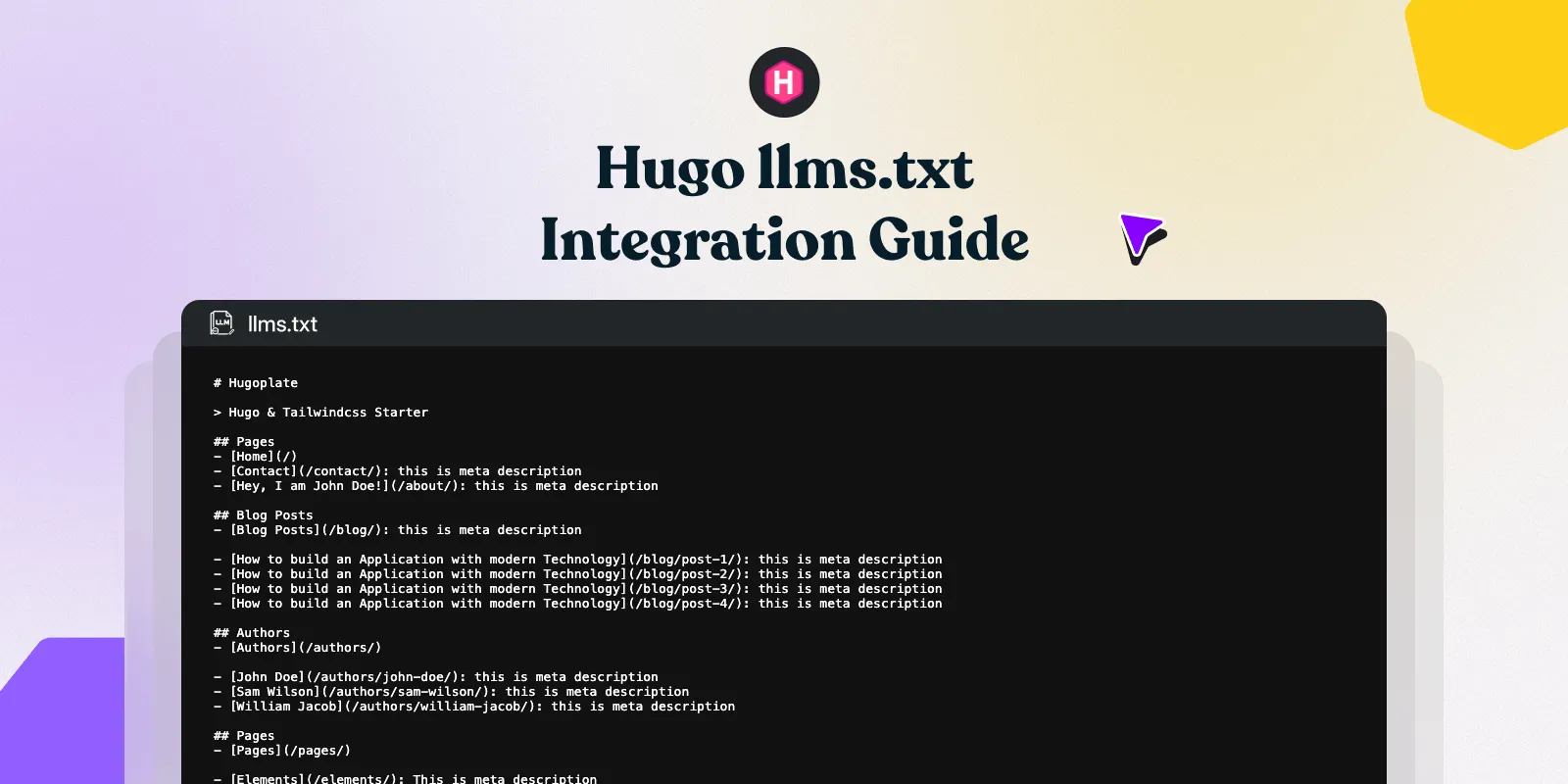
As AI crawlers from Google, OpenAI, and Perplexity become primary traffic drivers, providing a structured /llms.txt file is essential. This file serves as a semantic roadmap, allowing LLMs to understand your site's hierarchy and ingest content without the noise of HTML boilerplate.
In this guide I'll show you how to add llms.txt file to your Hugo websites.
What is the Difference Between llms.txt and llms-full.txt?
To optimize for different LLM capabilities, this Hugo integration generates two distinct files:
/llms.txt: A high-level, concise index. It groups pages by section and provides descriptions, acting as a "table of contents" for AI agents./llms-full.txt: A comprehensive content dump. This is designed for LLMs with large context windows that require full-text ingestion in a single request to avoid multiple round-trip crawls.
How to Install the llms.txt Module in Hugo
To begin the integration, you must import the dedicated Hugo module. This automates the generation of text-based formats across your site.
Action: Update your config/_default/module.toml with the following import statement:
[[imports]]
path = "github.com/gethugothemes/hugo-modules/llms-txt"
How to Configure Hugo Output Formats for AI Crawlers
Hugo requires explicit registration of new media types to render .txt files instead of standard .html. This step ensures that the AI-specific routes are correctly mapped during the build process.
Action: Modify your hugo.toml (or config/_default/hugo.toml) to include the llms and llmsfull formats:
[outputs]
  home = ["HTML", "RSS", "llms", "llmsfull", "md"]
  page     = ["HTML", "RSS", "md"]
  section  = ["HTML", "RSS", "md"]
  taxonomy = ["HTML", "RSS", "md"]
  term     = ["HTML", "RSS", "md"]
Implementation Note: Ensure you do not overwrite your existing
homeoutputs; append these to your existing list to maintain your standard web and RSS functionality.
How to Filter Content Inclusion for LLM Ingestion
Relevance engineering requires prioritizing high-value content while excluding low-value or private pages. You can control which fraggles are exposed to AI via the params.toml file.
Action: Configure your inclusion and exclusion rules in config/_default/params.toml:
[llms]
  # Set to false to disable /llms.txt generation
  enable = true

  # Set to false to disable /llms-full.txt generation
  enable_full = true

  # Include only specific pages or directories.
  # If empty, all pages are included by default.
  # If populated, ONLY paths matching the list will be generated.
  # Both llms.txt and llms-full.txt respect this setting.
  # Examples:
  #   "/about/"      → include strictly the /about/ page
  #   "/images/blog/*"     → include immediate children of /images/blog/ (e.g. /images/blog/post-1/)
  #   "/images/blog/**"    → include /images/blog/ and all nested pages and directories
  include = []

  # Exclude specific pages or directories.
  # Follows the same wildcard formats as include.
  # Conflict handling: If the EXACT same path string is put in both include and exclude,
  # the include rule has higher priority (the exclude rule is ignored).
  # Both llms.txt and llms-full.txt respect this setting.
  # Examples:
  #   "/about/"       → exclude exactly /about/
  #   "/images/blog/**"     → exclude all pages under /images/blog/
  #   "/images/blog/post-1/"   → exclude a specific page
  exclude = []
Path Conflict Resolution Logic
In the event of a conflict (where a path is listed in both include and exclude), the include rule takes precedence. This ensures that critical content is not accidentally hidden from generative engines.
How to Verify and Build Your AI-Ready Hugo Site
Once configured, you must verify that the routes are active and the syntax is compliant with the emerging llms.txt standard.
- Generate the Build: Run
hugoto compile the site. - Preview Locally: Run
hugo serverand navigate tolocalhost:1313/llms.txt. - Check Output Structure: Ensure your
/llms.txtresembles the following semantic grouping:
Example llms.txt output:
# My Hugo Site

> A site about web development and design.

## Pages
- [Home](https://example.com/index.md): Welcome to my site.
- [About](https://example.com/about/index.md): Learn who we are.

## Blog
- [Getting Started with Hugo](https://example.com/images/blog/getting-started/index.md): A quick overview of Hugo.
- [Markdown Cheat Sheet](https://example.com/images/blog/markdown-guide/index.md): Common Markdown syntax.

## Docs
- [Installation](https://example.com/docs/installation/index.md): How to install.
- [Configuration](https://example.com/docs/configuration/index.md): Config reference.
Example llms-full.txt output:
# My Hugo Site

> A site about web development and design.

--------------------------------------------------------------------------------
title: "About"
url: https://example.com/about/index.md
description: Learn who we are.
--------------------------------------------------------------------------------
We are a small team building open source tools for Hugo developers...

--------------------------------------------------------------------------------
title: "Getting Started with Hugo"
url: https://example.com/images/blog/getting-started/index.md
date: "2026-04-12"
description: A quick overview of Hugo.
--------------------------------------------------------------------------------
Hugo is a fast static site generator written in Go...
By providing these markdown-formatted text dumps, you reduce token usage for AI crawlers and increase the likelihood of your site being cited as a primary source in AI-generated answers.
Disabling AI Crawl Routes
If you need to halt AI ingestion temporarily without removing the module, set the following in your parameters:
[llms]
  # Set to false to disable /llms.txt generation
  enable = false


  # Set to false to disable /llms-full.txt generation
  enable_full = false
This action removes both the routes and the generated files from your production build.
By following the steps above, you ensure that your technical documentation, blog posts, and site metadata are ingested with 100% fidelity. This increases your citation frequency in LLM responses and positions your content as a primary source for the next generation of search.
